-
Type:
Bug
-
Resolution: Fixed
-
Priority:
 Medium
-
Affects Version/s: 6.4.6, 6.4.7
-
Component/s: Installation
-
6.04
NOTE: This bug report is for JIRA Server. Using JIRA Cloud? See the corresponding bug report.
Steps to Reproduce:
- Take the latest JIRA Cloud backup.
- Install JIRA 6.4.6.
- Put the Cloud backup on the JIRA Home > import
- Run the Setup Wizard.
- Choose Import Data
- Put the Backup name on the File Name
Expected Result:
- There will be a warning, but there is an option that able to be clicked to proceed the restore.
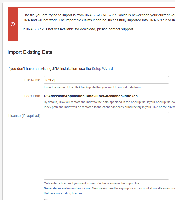
Actual Result:
- The warning below appears:

Workaround
Try restoring to a slightly older JIRA server version e.g. 6.4.5 if possible.
NOTES:
- JIRA 6.4 also have the same problem.

- is duplicated by
-
-
- Closed
-
-
-
- Closed
-
- relates to
-
-

- Closed
-
-
-
- Closed
-
(1 mentioned in)