-
Type:
Bug
-
Resolution: Fixed
-
Priority:
 Medium
-
Affects Version/s: 10.3.5, 10.5.1
-
Component/s: Assets - Core experiences
-
4
-
Severity 3 - Minor
-
50
Issue Summary
The Assets view screen does not load when using the "Original" theme
Steps to Reproduce
- Log in to JSM version 10.3.5 and go to Profile -> Theme -> Select "Original."
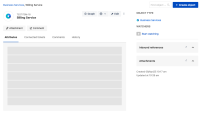
- Attempt to view any objects at <base_url>/secure/insight/assets/<object> and observe that the attributes and other tabs/panels fail to load.
- Navigate back to Profile -> Theme and select any theme other than "Original." Upon doing so, try accessing the objects, and they will display correctly.

Expected Results
Objects should be loading irrespective of the "Theme" selected.
Actual Results
Objects are not loading with "Original" theme and below API calls are returning 400 response code.
/rest/insight-widgets/1/widgets/render?wrid=insight-objectpage-attributes-web-resourcerest/insight-widgets/1/widgets/render?wrid=insight-objectpage-outboundreferences-web-resourcerest/insight-widgets/1/widgets/render?wrid=insight-objectpage-attachments-web-resource
Workaround
Currently, there is no known workaround for this behavior other than switching to another "Theme." A workaround will be added here when available.

- links to
