-
Type:
Bug
-
Resolution: Won't Fix
-
Priority:
 Low
Low
-
Component/s: Customer Portal - Help Center
-
4
-
Severity 3 - Minor
Summary
The ctrl+v keyboard shortcut doesn't allow customers to paste images from the clipboard(copy/paste) in the customer portal using IE11. This issue only seems to occur on the new help center. Additionally, it's not possible to paste by right-clicking and choosing "Paste".
Environment
JSD Cloud
Steps to Reproduce
- Log into the portal where the new help center is enabled
- Start filling out a request form
- Copy an image to the OS clipboard
- Paste the image into the form using ctrl+v
Expected Results
- The image/item is added to the comment as an attachment
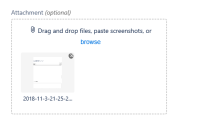
(taken to using old help center)

Actual Results
- Nothing happens/changes
Notes
- The keyboard shortcut works on other browsers such as Chrome and Firefox
- Similar/related issues:
JRACLOUD-65670
JRACLOUD-62233
JSDCLOUD-6351
Workaround
- Use another browser
- Turn off the new help center: Navigate to Project Settings > Portal Settings > View and customize; under Try the new help center, put the toggle switch into the "off" position. Please quote this bug ticket number in the feedback form.


- relates to
-
-
- Closed
-