-
Type:
Bug
-
Resolution: Fixed
-
Priority:
 Low
Low
-
Affects Version/s: 4.3.1
-
Component/s: Email - Outgoing
-
None
-
1
-
Severity 3 - Minor
Issue Summary
The reset password mail template variable {0} is not being replaced by the code.
Steps to Reproduce
- Set up the outgoing mail.
- Create a new Service Desk project.
- Create a customer account in the Service Desk project and set its language to German or Deutsch from the Customer portal.
- Logout and click on Forgot your password?
Expected Results
The mail was sent with the default message sentence with the variable
{0} replaced.Sie haben ein neues Passwort für {0}
angefordert.
to
{code:none|title=}
Sie haben ein neues Passwort für <some-user-identifier> angefordert.
Actual Results
It doesn't replace and preview the sentence as it is:

Workaround
- Extract the $JIRA_HOME/plugins/installed-plugins/jira-servicedesk-application-4.3.1.jar by changing the file extension to jira-servicedesk-application-4.3.1.zip and extract. You should see a file structure (jira-servicedesk-application-4.3.1/) for the extracted JAR file like below:
i18n/
jira/
META-INF/
atlassian-plugin.xml
bom.csv
chaperone-i18n_cs_CZ.properties
chaperone-i18n_da_DK.properties
chaperone-i18n_de_CH.properties
chaperone-i18n_de_DE.properties
chaperone-i18n_es_AR.properties
chaperone-i18n_es_ES.properties
chaperone-i18n_es_MX.properties
chaperone-i18n_es_VE.properties
chaperone-i18n_et_EE.properties
chaperone-i18n_fi_FI.properties
chaperone-i18n_fr_BE.properties
chaperone-i18n_fr_CA.properties
chaperone-i18n_fr_FR.properties
chaperone-i18n_hu_HU.properties
chaperone-i18n_is_IS.properties
chaperone-i18n_it_IT.properties
chaperone-i18n_ja_JP.properties
chaperone-i18n_ko_KR.properties
chaperone-i18n_nl_NL.properties
chaperone-i18n_no_NO.properties
chaperone-i18n_pl_PL.properties
chaperone-i18n_pt_BR.properties
chaperone-i18n_ro_RO.properties
chaperone-i18n_ru_RU.properties
chaperone-i18n_sk_SK.properties
chaperone-i18n_sv_SE.properties
chaperone-i18n_zh_CN.properties
chaperone-i18n_zh_TW.properties
LICENSE.txt
sd-projects-i18n_cs_CZ.properties
sd-projects-i18n_da_DK.properties
sd-projects-i18n_de_CH.properties
sd-projects-i18n_de_DE.properties
sd-projects-i18n_es_AR.properties
sd-projects-i18n_es_ES.properties
sd-projects-i18n_es_MX.properties
sd-projects-i18n_es_VE.properties
sd-projects-i18n_et_EE.properties
sd-projects-i18n_fi_FI.properties
sd-projects-i18n_fr_BE.properties
sd-projects-i18n_fr_CA.properties
sd-projects-i18n_fr_FR.properties
sd-projects-i18n_hu_HU.properties
sd-projects-i18n_is_IS.properties
sd-projects-i18n_it_IT.properties
sd-projects-i18n_ja_JP.properties
sd-projects-i18n_ko_KR.properties
sd-projects-i18n_nl_NL.properties
sd-projects-i18n_no_NO.properties
sd-projects-i18n_pl_PL.properties
sd-projects-i18n_pt_BR.properties
sd-projects-i18n_ro_RO.properties
sd-projects-i18n_ru_RU.properties
sd-projects-i18n_sk_SK.properties
sd-projects-i18n_sv_SE.properties
sd-projects-i18n_zh_CN.properties
sd-projects-i18n_zh_TW.properties
- Edit the file in /i18n/sd-i18n_de_DE.properties (GERMAN). Or the language you are trying to work around.
- Look for the variable: sd.email.conversational.notification.reset.password.content and change the sentence from:
Sie haben ein neues Passwort f\u00FCr
Unknown macro: {0}angefordert.
to
Sie haben ein neues Passwort angefordert.
- Open your terminal, navigate to the directory and run the following command to re-jar the directory:
jar -cvf jira-servicedesk-application-4.3.1_fixed.jar *
- The file should located in the jira-servicedesk-application-4.3.1/ directory still.
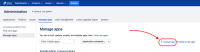
- To use it, install the JAR file at your JIRA - Administration > Add-ons > Manage apps > Upload app:
This should change the German reset password sentence to:Sie haben ein neues Passwort angefordert.

Notes
Example of the modified JAR file: jira-servicedesk-application-4.3.1_fixed.jar .
.
 Note: It is advisable to reapply the workaround for different JIRA versions to avoid functionalities loss.


- is related to
-
-
- Closed
-