-
Type:
Bug
-
Resolution: Fixed
-
Priority:
 Low
Low
-
Affects Version/s: 2.2
-
Component/s: SLA
Summary
In JIRA Service Desk 2.2.0, The default time to resolution metric is configured as the following:
- START: Issue created, Resolution: Cleared
- PAUSE ON:
- STOP: Resolution: Set
However, when the issue gets created, the SLA is on pause. If user configures a new metric for SLA, it will work properly.
Steps to Reproduce
- Create a Service Desk
- Using the default configuration of SLA (Time to Resolution metric), create issue
- The SLA will be on pause, while it should start
Expected Behavior
When the issue gets created, the SLA should start.
Additional Information
- It misbehaves in JIRA Service Desk 2.2.0 only
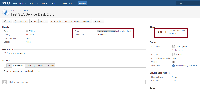
- It works properly in JIRA Service Desk 2.1.1
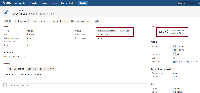


- incorporates
-
-
- Closed
-
- is cloned from
-
-
- Closed
-