-
Type:
Bug
-
Resolution: Unresolved
-
Priority:
 Low
Low
-
None
-
Affects Version/s: Insight 9.0.12
-
Component/s: Assets - Core experiences
-
1
-
Severity 3 - Minor
Issue Summary
You will receive "No value" when attempting to add an additional attribute from the check boxes when printing a label if that value exists in the template. The issue only occurs from the new object view or trying to print from an object search
Steps to Reproduce
- Add a placeholder to the template
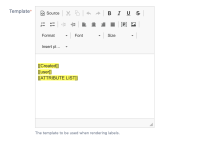

- Go to print the label from the new object view or object search
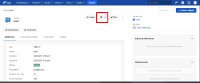
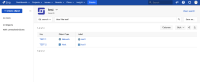
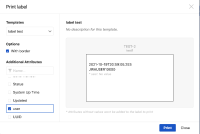
- Add the same attribute as the placeholder from the list on the left


Expected Results
You should be able to add the same additional attribute and see the value. The same way this works when printing from the original object view
Actual Results
You'll see "* <attribute>: No value" instead
Workaround
You can still see the value for the additional attributes if you add them from the original object view


- links to
