 Low
Low Summary
The "Clockify for Jira" add-on will display a link next to the issue-key of a ticket. This link does not appear if the ticket is open from the queue while using the new Jira issue view.
Environment
- New Issue View in Jira Cloud enabled
Steps to Reproduce
- Install "Clockify for Jira" application.
- Go to a service desk project > Open a ticket from the queue.
Expected Results
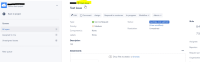
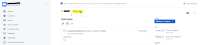
The link should appear next to the issue-key like this:
- This is on the old issue view:
- When opening the ticket in a new tab (/browse/issue-key) the add-on link appears:


Actual Results
Opening the ticket from the queue, is missing the add-on link:

Workaround
Disable new issue view.


