-
Type:
Bug
-
Resolution: Fixed
-
Priority:
 Medium
-
Affects Version/s: 11.7.1
-
Component/s: Static Reports - General Reports
-
1
-
Severity 3 - Minor
-
No
Issue Summary
'Release Vehicle Roadmap' report displays RVs outside the selected Portfolio, Program, or Solution. The report displays all RVs associated with the selected PI and ignores the selected Portfolio, Program, or Solution filter.
Release vehicle roadmap product doc states:
The horizontal columns at the top of the grid display the release vehicles tied to the configured program and PIs
Steps to Reproduce
- Create Program1 under Portfolio1
- Create Program2 under Portfolio2
- Create PI1 and assign to Portfolio1 and Program1 and Program2
- Create RV1 and assign to Program1 and PI1
- Create RV2 and assign to Program2 and PI1
- Create Feature1 and tie to PI1 and RV1
- Create Feature2 and tie to PI1 and RV2
- Open 'RV Roadmap' for Portfolio1 and observe both RVs are shown
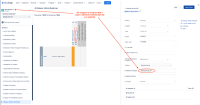
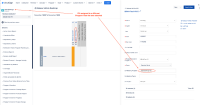
- Open 'RV Roadmap' for Program1 and observe both RVs are shown.


Expected Results
'Release Vehicle Roadmap' should only display RVs for the selected Portfolio, Program, or Solution
Actual Results
'Release Vehicle Roadmap' ignores the selected tier filter and displays all RVs associated with the selected PI.
Workaround
Currently there is no known workaround for this behavior. A workaround will be added here when available


- is related to
-
-
- Closed
-
- is connected to
-
JARDA-5931 Loading...
- resolves
-
-