-
Type:
Bug
-
Resolution: Fixed
-
Priority:
 Low
Low
-
Affects Version/s: 10.89
-
Component/s: Financial Management|Planning|Exploring, reports - forecast
-
1
-
Severity 3 - Minor
-
No
Issue Summary
Buffers allocated to a team is showing on all programs under a PI
Steps to Reproduce
- Navigate to Forecast > Plan Capacity
- Select a PI and one or more multiple programs.
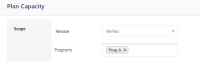
- Scroll down to the "Buffer Management" section and add a team buffer.
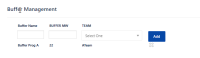
- Click "Save Capacity" > close Plan Capacity and open it again.
- Select the same PI and/or select a different program.
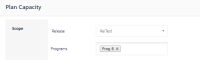
- Scroll down to "Buffer Management" section.
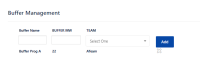


Expected Results
Should not display a team buffer from another program
Actual Results
It's showing a team buffer of a different program.
Workaround
Currently, there is no known workaround for this behavior. A workaround will be added here when available


