-
Type:
Suggestion
-
Resolution: Won't Fix
-
Component/s: Macros - Attachments
-
2
Summary
- When drag and drop the files on Browse for files option in the Attachments macro, the macro will keep loading and does not show any progress bar indicating that the upload has been succeeded.
Steps to Reproduce
- Create an Attachment macro on the page
- Drag and drop the file on the attachment box Browse for files
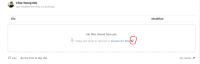
- Noticed that the macro does not show a progress as expected

Expected Results
- The progress bar will show the file has been uploaded.
Actual Results
- The macro keep spinning and doesn't show a progress bar for the upload.
Workaround
- Use the drag & drop option of the Attachments macro to see the progress bar.


- relates to
-
CONFCLOUD-62272 Browse for files in the Attachments macro is not uploading files
-

- Closed
-
-
-

- Closed
-