-
Type:
Suggestion
-
Resolution: Fixed
-
None
Issue Summary
After migrating from Confluence Server/DC to Cloud, links at Confluence page information refer to the existing server instance.
Scenario
- Confluence Server/DC -> Confluence Cloud migration
- Confluence space export (either Server or Cloud) and Confluence space import
Affects products
- Confluence
Steps to Reproduce
Confluence server
- Create a number of Confluence pages
- When viewing one page (page A), copy the URL in the address bar
- Edit a second page (page B) and paste the URL into the page content
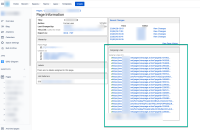
- View the "page information" from the "..." menu in the top right. Ensure the "Outgoing Links" panel for page B contains an absolute link to page A
SELECT *
FROM links
WHERE contentid = <page_B_contentid>
The links table will display the absolute URL for page A.
- Perform a migration
- In Confluence Cloud, #view the "page information" from the "..." menu in the top right. Ensure the "Outgoing Links" panel for migrated page B
Expected Results
Links are updated after migration to redirect to the appropriate/corresponding Confluence Cloud page URL
Actual Results
Outgoing links still refer to Confluence Server

Scope
To determine the approximate size of the issue, the following SQL query (PostgreSQL) can be run:
SELECT
    REGEXP_MATCHES(lowerdestpagetitle, '<<<CONFLUENCE_BASE_URL>>>/pages/viewpage\.action\?pageId=\d+') AS lowerdestpagetitleurl
    , linkid
FROM links
WHERE contentid in (
    SELECT c.contentid
    FROM content c
    WHERE c.contenttype = 'PAGE'
        AND c.prevver IS NULL
        AND c.content_status = 'current'
        AND c.title != ''
        AND c.title IS NOT NULL
)
Workaround
No workaround is available.
Outgoing links are not covered in Atlassian support link fixing scripts.
