 Low
Low Issue Summary
Burndown Chart is not showing correct Date.
Steps to Reproduce
Environment
- Reproduced Jira Software 8.9.1 or 8.12
- Not reproduced 8.7.0, 8.8.1
- Default user time zone: System default: (GMT+09:00) Tokyo
Steps to Reproduce
- Create new sample scram project
- Projects > Create project > Create sample data > Scrum software development
- Board > Configure > Estimation
- Estimation Statistic: Original Time Estimate
- Select any of issues other than sub-task in Active sprints
- Add Estimate time
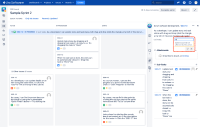

Expected Results
Burndown Chart shows exact date time depends on user time zone.
Actual Results
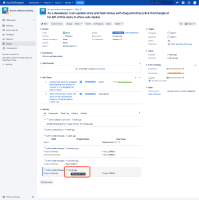
- Work Log shows correct time (17/Sep/20 6:11 PM)
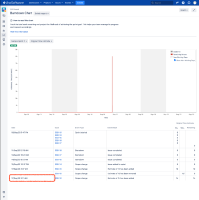
- Burndown Chart shows wrong time (17/Sep/20 3:11 AM)


Workaround
Currently there is no known workaround for this behavior. A workaround will be added here when available


- duplicates
-
JSWSERVER-20688 Burndown chart does not show correct time if the timezone does not match Jira's default timezone
-

- Closed
-