-
Type:
Suggestion
-
Resolution: Unresolved
-
None
-
Component/s: Backlog
-
None
-
1
-
4
Issue Summary
vertical scrollbar is too much thin, almost not selectable in Backlog and Active Sprint view
The bar as it this is not suitable for accessibility, especially for people with vision defect.
Steps to Reproduce
- In a Scrum project select the Backlog or the View Sprints page
- Observe that the vertical scroll bar become too much thin, almost not selectable in Backlog and Active Sprint view:
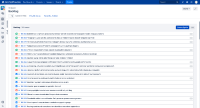
Browsing other Jira pages, ex. issue view, the vertical scrollbar has a normal size:



The issue is not reproducible in Jira 7.13.0
Expected Results
the vertical bar should always keep the same size
Actual Results
the vertical bar in Backlog view and Active Sprint view become too much thin
Workaround
Currently there is no known workaround for this behavior. A workaround will be added here when available


- is related to
-
JSWSERVER-26313 The Vertical Scrollbar and Slider are not showing correctly when using the default light theme & Dark theme for Jira DC in the Backlog View
-

- Closed
-