-
Type:
Bug
-
Resolution: Unresolved
-
Priority:
 Low
Low
-
None
-
Affects Version/s: 4.15.1
-
Component/s: Assets - Core experiences
-
3
-
Severity 3 - Minor
-
1
Issue Summary
While creating/updating an object attribute of "confluence" type, unless you type a whole word which matches with one whole word of the page title Insight doesn't show the page.
Steps to Reproduce
- Create an applink between Jira and confluence
- If Jira and Confluence doesn't share the same userbase enable anonymous access on confluence page settings

- If Jira and Confluence doesn't share the same userbase enable anonymous access on confluence page settings
- Add a Confluence attribute to any objecttype
- It'd be better to select a specific space:

- It'd be better to select a specific space:
- In the specific Confluence page create the following pages:
- abcdefghijkl page
- abcdefghijk page
- abcdefghij page
- ...you get the idea

- Try to create/update an object's "confluence" attribute

Expected Results
- If you type "abc" it should show you a list of pages matching that pattern
Actual Results
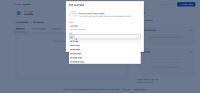
- If you have a page called "abc page" searching with the term "abc" will only show this one page
- if you search with the word "page" it finds all the pages
- If you search with the word "pag" (without the e) it doesn't find the pages
Workaround
- Type at least one matching word to the title of the pages viz., search with "page" and it will find all the pages above
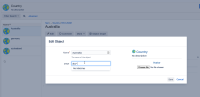
- In the new object view page add an wildcard (*) at the end of the search keyword viz., "abc*"
- Note: This asterisk trick won't work in the object schema view page
- Languages such as German where the likelihood of really long words is very high and this bug can cause confusion and inability to use this feature effectively.
- Add a smaller word anywhere in the page title that you'd be comfortable typing in while searching for the page


- duplicates
-
-
- Closed
-
- links to
