-
Type:
Bug
-
Resolution: Fixed
-
Priority:
 Low
Low
-
Affects Version/s: 3.2.6
-
Component/s: Automation, Request Type Configuration
-
Severity 3 - Minor
-
1
Summary
When searching for issues using "Customer Request Type" or editing a condition in an Automation rule using "Customer Request Type", the result turns into non-user friendly characters.
Steps to Reproduce
- Create a Service Desk project (or navigate to an existing one)
- Go into the Service Desk project settings
- Create a Request Type - > <give it a name>
- Go to issue navigator -> search for issues (Customer Request type = <given name>).
- And also try to search for it under the Automation Rule by editing a condition.
Expected Result
- The search should return the actual Request Type name
Actual Result
- The request type is returned in the following format:
- When searching from Issue Navigator using this as an example -> "Customer Request Type" = help and support

- When editing an automation rule using the same JQL query -> "Customer Request Type" = help and support
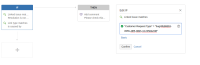
- When searching from Issue Navigator using this as an example -> "Customer Request Type" = help and support


Workaround
No current known workaround
Observations
In previous versions of ServiceDesk (3.0.x), searching for Request Type was done using this format -> "project-key/lowercased-form-requesttype-title-hyphenated", however in later versions (3.2.x) an Autocomplete function was introduced when searching for Request Types after which I believe this issue started happening

