-
Type:
Bug
-
Resolution: Not a bug
-
Priority:
 Low
Low
-
None
-
Affects Version/s: 5.12.1
-
Component/s: Knowledge Base
-
None
-
1
-
Severity 3 - Minor
Issue Summary
Search for KB articles in help center not working if the Confluence cloud is integrated with JSM
This is reproducible on Data Center: (yes)
Steps to Reproduce
- Integrate JSM and Confluence cloud by following the steps :
- Create an application tunnel by following this Create an application tunnel to your self-managed instance
- Create application links using Tunnel on the confluence cloud
- Also, integrate them using "Confluence Cloud Integration" as mentioned on this page for setting up a knowledge base with Confluence Cloud.
- Integrate these products so that they are integrated using application links as well as the "Confluence Cloud Integration"
- To create the application link, see Create application links.
- To configure the in-product integration, see Setting up a knowledge base with Confluence Cloud.
- Integrate these products so that they are integrated using application links as well as the "Confluence Cloud Integration"
- On any JSM project make sure the knowledge base is using confluence cloud integration by navigating to the project > project settings > knowledge base > use the "Confluence cloud integration"
- Navigate to project> project settings > customer channels and clicking on visit the portal will redirect us to the customer portal i.e "URL for customers: [<Jira-base-URL>/servicedesk/customer/portal/1]" Here, when we search for KB articles using some keywords, the results are returned, and the search is working without issues.
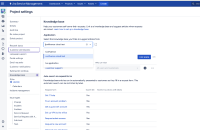
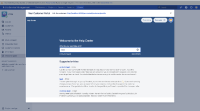
- However, on the same page clicking on help center will redirect to the URL for customers: [<Jira-base-url>/servicedesk/customer/portals] help center and then search for some keywords, It's not yielding any KB article results on the help center page.
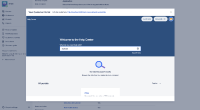
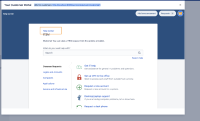
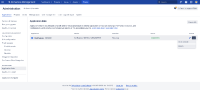
- Now, try deleting the application link configured to connect to the Confluence Cloud and search for the KB articles in the help center the results are shown as expected.


Expected Results
With the Confluence Cloud integration and the Application Links in place, searching from the home page of the Help Centre should display results from Confluence.
Actual Results
With both application link and Confluence Cloud integration active, you can only search the knowledge base in a specific project (by navigating to that project in the help center prior to searching).
 As the Jira linked issues and Jira Issue/Filter Macro in Confluence don't work as expected if we remove the application links so it might not be a feasible solution for this.
Root Cause
JSM allows multiple Confluences to be connected to Jira, and used as KB for different portals. However, when searching from <Jira-base-url>/servicedesk/customer/portals Help Centre level, only Primary Confluence is considered for searches.
Primary Confluence is usually the first Confluence Instance AppLinked to the Jira instance. Any AppLinked Confluence can be changed to primary from the Application Links menu, and that shall be used for Help Centre searches.
In case of Confluence Cloud Integration feature - it can be considered primary by JSM by following the steps described in the workaround below.
Workaround
Enable the following Feature Flag to make JSM search using the Confluence Cloud Integration feature: sd.kb.cloud.always.primary
See this article for more information on how to do that: https://confluence.atlassian.com/jirakb/how-to-manage-dark-features-in-jira-959286331.html


