-
Type:
Bug
-
Resolution: Fixed
-
Priority:
 Low
Low
-
Affects Version/s: 5.4.4, 5.4.14
-
6
-
Severity 3 - Minor
-
1
Issue Summary
Users without Application Access in Jira won't be able to view Assets Objects in the Confluence Page using the Assets - Macro Confluence Plugin
This issue is not reproducible in the older version of JSM 8.20.10.
This is reproducible on Data Center: Yes
Steps to Reproduce
- Install JSM 5.4.4 and Create a sample project with Assets data
- Install Confluence and Assets - Macro Confluence plugin 1.6.15
- Establish Application Link between JSM and Confluence
- Create a page and add Assets objects using the Assets - Macro Confluence plugin
- Now, Login as a user without any Application Access in Jira and try to view the page
Expected Results
The page should get displayed with Assets Object without any issues.
Actual Results
- The Assets section keeps loading indefinitely.

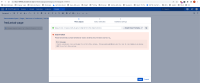
- If the user tries to edit the page and try to edit the AQL Configuration, we get the below error message
 Search failed!

 Please check that you have selected an Object Schema and provided a correct IQL.

 Error messages
 • Sorry, you do not have permission to perform this action.. PermissionInsightException: You need to have Application Access (JSM) to perform this action.


Workaround
Currently, there is no known workaround for this behavior. A workaround will be added here when available


