-
Type:
Bug
-
Resolution: Fixed
-
Priority:
 Highest
-
Affects Version/s: 5.3.0, 5.4.0, 5.4.2, 5.5.0
-
Component/s: Assets - Object, Type and Schema
-
None
-
14
-
Severity 1 - Critical
-
163
Issue Summary
Two Asset Custom fields 'otapplicationcf' and 'otorgincf'. 'otapplicationcf' having a Outbound reference to 'otorgincf'. Set a default value for the custom field 'otorgincf' at the configuration.
Objects in 'otapplicationcf' is not displayed in customer portal unless a value is selected at 'otorgincf'.
This is not observed in Versions 4.20.
This is reproducible on Data Center: yes
Steps to Reproduce
- Open assets and Create two Object Type OTapplication and OTOrgin
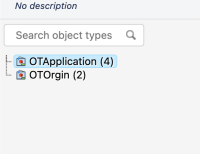
- Create objects on each Object Type
- Create a outbound reference on Object Type OTapplication to OTOrgin
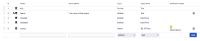
- Create two Insight custom fields otapplicationcf, otorgincf for each object type OTapplication and OTOrgin
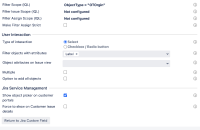
- Set the filter issue scope of otapplicationcf as the custom field placeholder of otorgincf
Ex : object HAVING outR(Key = ${customfield_xxxxx})
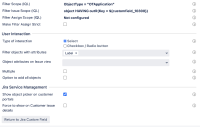
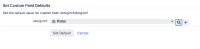
- Set the default value for the otorgincf
- Configure the custom fields to be visible in the customer portal.
- Open the customer portal. Now you should see the default value for otorgincf. Try viewing the values for otapplicationcf based on the value set on otorgincf.


Expected Results
Customer portal should show the objects on the field otapplicationcf although otorgincf has a default value set

Actual Results


Customer portal doesnt show any objects in otapplicationcf.
But the objects are updated once a value is selected at otorgincf manually
Workaround
Currently there is no known workaround for this behaviour. A workaround will be added here when available


