-
Type:
Suggestion
-
Resolution: Unresolved
-
None
-
Component/s: Customer Portal, Customer Satisfaction (CSAT)
-
1
Problem statement
The customized Help Center name is not taken into consideration in the completed satisfaction survey page
Steps to Reproduce
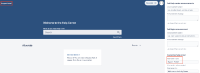
- Go to Jira Administration > Applications > Jira Service Management > Configuration.
- Below Help center, select the link View and customize.
- Customize the Help center name
- Set up outgoing mail
- Ensure the following for the Service project
- Customer satisfaction is enabled
- 'Request resolved' notification is enabled
- Create a request and resolve it to receive the notification to the satisfaction survey
- In the email, click on a star rating which will open the comment section for the satisfaciton survey
- Add a comment and click the 'Add a comment' button
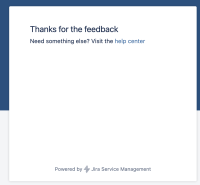
- When completing the satisfaction survey, the pages contains the default "Visit the help center" message


Suggestion
When completing the satisfaction survey, the pages should contain a customized "Visit the Support Portal" message


- is related to
-
JSDSERVER-11166 The customized Help Center name is not taken into consideration in the completed satisfaction survey page
-

- Closed
-
- links to
