-
Type:
Bug
-
Resolution: Fixed
-
Priority:
 High
High
-
Component/s: Forms - Portal
-
None
-
16
-
Severity 3 - Minor
-
8
Update 21 October 2022
The roll out is now complete for the fix for this issue.
Going forward the expected behaviour is as follows:
- Open form: Date time form fields that are linked to Jira Fields will show the same date and time.
- Submitted Forms: Will show the date/time as entered by the user at the point they clicked submit. Note, the linked Jira Field will show the time in the timezone of the user viewing the issue.
Thanks,
Simon - PM for ProForma/Forms
Issue Summary
JSM Form's Date Time Field and linked Jira Field shows different time. The time difference is exactly the 'Default user time zone' in Jira Global configuration.


Steps to Reproduce
- Create JSM Form with Date and Time Field linked to some Jira Date and Time Field.

- Set 'Default user time zone' to (GMT+09:00) Tokyo or to some other time zone.

- Create a request from the customer portal
Expected Results
The time registered in the JSM Form field in the customer portal and the linked Jira field in agent issue view should be the same.
Actual Results
The time registered in the JSM Form in the customer portal and the agent issue view is off by 9 hours.
Workaround
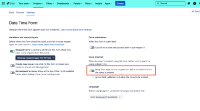
- Disable 'Keep form open' option.
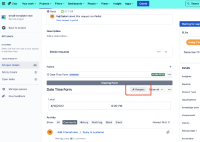
- Refrain from reopening forms.


Additional workarounds will be added here when available.


