-
Type:
Bug
-
Resolution: Unresolved
-
Priority:
 Low
Low
-
None
-
Affects Version/s: 11.3.2, 11.3.10
-
Component/s: Filters & Dashboards - Permissions
-
None
-
11.03
-
14
-
Severity 3 - Minor
-
15
Issue Summary
Managing filter permissions doesn't save updates as intended when editing filter permissions from two different menus:
Filter > Details > Edit Permissions
Issues > Manage Filters > Cog > Edit
Steps to Reproduce
- Log in to Jira 11.3.2
- Perform an Issue Search and save the filter.
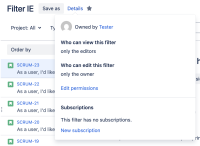
- From the filter view, click on Details > Edit permissions.
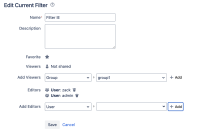
- Add a few users as Editors
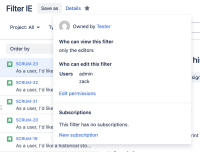
- Details pop-up show as expected.
- Navigate to Issues > Manage Filters
- The filter displays correct permissions.

- Click > Edit and add another user to the Editors
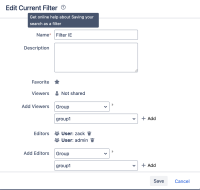
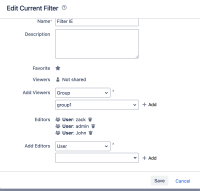
- Once you click Save, permissions are erased.
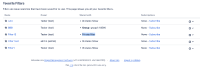
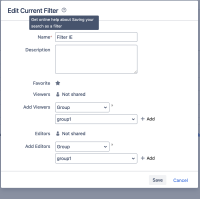


Expected Results
Permissions should add the new user to the current editors.
Actual Results
Permissions are erased after saving.
Workaround
Currently there is no known workaround for this behavior. A workaround will be added here when available


- is duplicated by
-
-

- Waiting for Release
-
- mentioned in
-
Page Loading...