-
Type:
Bug
-
Resolution: Fixed
-
Priority:
 Low
Low
-
Component/s: Work Item - View (Internal developer use only)
-
3
-
Severity 3 - Minor
Summary
The "Issue detail view" doesn't allow for icons to be added to the "Description" field.
Available icons in the "Wiki Style Renderer" include:


Steps to Reproduce
- Navigate to the appropriate board
- Select an issue and edit the "Description" field to include an icon - e.g. ""
Expected Results
- Icon displayed correctly
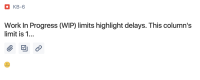

Actual Results
- :) is displayed instead of ""
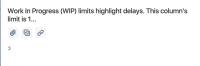

Notes
- "Wiki Style Renderer" enabled on Field Configuration
- After reproducing the issue, navigate to the issue directly and edit the description field; an escape character has been added to nullify the icon:
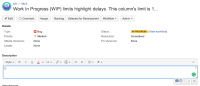

Workaround
- Navigate to the issue directly and edit the "Description" field there - i.e. https://<instance_name>.atlassian.net/browse/[PKEY]-[ISSUENUM] OR
- Navigate to your profile(https://<instance_name>.atlassian.net/secure/ViewProfile.jspa) and disable "Issue detail view"; this is a per-user setting(each end user will need to make this change themselves)


