-
Type:
Bug
-
Resolution: Duplicate
-
Priority:
 Low
Low
-
Component/s: Technical - Directories
-
1
-
Severity 3 - Minor
Summary
Start Date and Release Date are being saved with "day -1" while editing a release.
Steps to Reproduce
- Go to the project releases.
- Click to edit a release and change the Start Date and the Release Date fields.
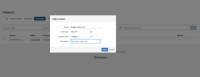
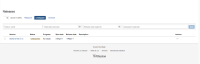
- Hit save.


Expected Results
The dates should be saved as the ones selected.
Actual Results
The new dates are decreased one day.

Workaround
Select the next day of the one you want.


- duplicates
-
-

- Closed
-
-
-

- Closed
-
- relates to
-
-
- Closed
-