 Low
Low How to Replicate
- Create a project in Jira.
- Create a plan in Portfolio.
- Navigate to Reports > Share > Embed and copy the HTML code.
- Paste the HTML code inside an HTML file, like in the example below:
<!doctype html>
<html>
<body>
	<iframe src='http://your-jira-instance/secure/PortfolioSharedReportView.jspa?r=PIKKY&t&e' width='1024' height='640' style='border : 1px solid #ccc;'></iframe></body>
</html>
- Open this HTML file using an incognito window in the browser.
- Open developer tools in this browser window.
- The content inside the iframe will be rendered as below:
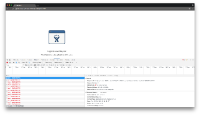
- Notice how there will be one HTTP request to /rest/jpo/1.0/authentication/test every second.

Instance Details
Reproduced on Jira 7.2.12 and Portfolio 2.6.1 and 2.14.1

- mentioned in
-
Page Loading...