-
Type:
Bug
-
Resolution: Not a bug
-
Priority:
 High
High
-
None
-
Affects Version/s: 10.123.0
-
Component/s: Dynamic Reports - Kanban Boards
-
13
-
Severity 2 - Major
-
No
Issue Summary
In New Navigation, viewing a Custom Room's Backlog > Kanban > Process Flow view returns error "No Process Flows (Value Streams) defined for this level" even though work items are tied to both the custom hierarchy and a process flow.
Problem happens for all work item types.
Steps to Reproduce
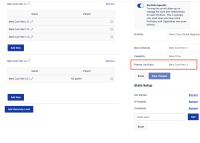
- Create a Custom Hierarchy and map to Feature
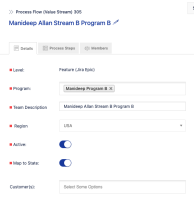
- Create a Process Flow for Feature level
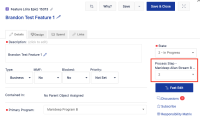
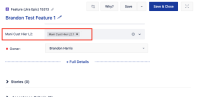
- Create a Feature and tie it to both the Process Flow and Custom Hierarchy
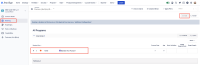
- Go to Custom Room > [custom_room] > Backlog. Select List view and observe that the Feature displays as expected:
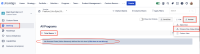
- Select Kanban > Process Flow (Value Stream) view and observe the warning “No Process Flows (Value Streams) defined (Click here to set this up)”
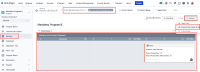
- Go to the corresponding Program and filter by the same Custom Hierarchy. Select Backlog > Kanban > Process Flow (Value Stream) view and observe that the Feature is displayed as expected:
 !
!


Expected Results
Custom Room's Backlog > Kanban > Process Flow view displays the expected work items in scope the same as any other Backlog view in the tool
Actual Results
Custom Room's Backlog > Kanban > Process Flow view fails to display expected work items and returns warning “No Process Flows (Value Streams) defined”. The warning also includes a setup link, however, there is no option to associate a custom hierarchy with a process step.
Workaround
Currently there is no known workaround for this behavior. A workaround will be added here when available


- relates to
-
-

- Short Term Backlog
-
-
JIRAALIGN-7424 Ability to view Custom Rooms > Backlog > Kanban > Process Flow
- In Progress
-
ALIGNSP-22647 Loading...
- is connected to
-
- resolves
-
-
-
-
-
-