-
Type:
Bug
-
Resolution: Won't Fix
-
Priority:
 Low
Low
-
None
-
Affects Version/s: 10.102.3
-
Component/s: Ideation - Customer Portal
-
Severity 3 - Minor
-
No
Issue Summary
User who is not an Admin of an Ideation Group.
The user cannot see the "Manage External Users" button in izone.asp
However, the user can navigate via the URL to ExternalUserList.asp and view & edit all user information.

Steps to Reproduce
Permissions:
- Not an Admin of a Ideation Group
- Enterprise > Manage > Ideation ENABLED
- Enterprise > Manage > Manage Groups ENABLED
- Product > Ideas > Ideation ENABLED
- Product > Ideas > Manage Groups ENABLED
- Navigate to "Ideation" (or izone.asp)
- Note that the "Manage External Users" button is not visible.
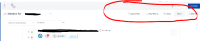
2. Navigate via URL to https://<jiraalign-instance-name>/ExternalUserList.asp
3. Can reach the page, and edit users within.

Expected Results
A. "Manage External Users" button visible
OR
B. "Manage External Users" button is not visible, then this user should not be able to access the External Users management page ExternalUserList.asp.
Actual Results
No "Manage External Users" button
Can navigate via URL to edit users.
Workaround
None


- is connected to
-
JALPM-1565 Loading...
- relates to
-