-
Type:
Bug
-
Resolution: Fixed
-
Priority:
 Low
Low
-
Affects Version/s: 10.86, 10.87, 10.88
-
Component/s: Jira Connector
-
1
-
Severity 3 - Minor
-
Rockets - VH6
-
No
Issue Summary
In Jira Settings, Jira Align Products dropdown list is displaying products' names with "Non-breaking Space" HTML entity
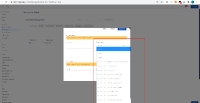
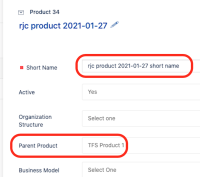
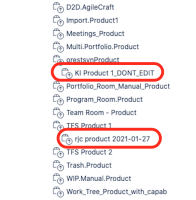
- Affected products are child entries of root-level products
* -- Parent Product
    |
    +- Child Product       <--- this is affected


Steps to Reproduce
- Browse to Jira Settings page
- Click Manage Custom Fields button
- Scroll down to Sync Jira Products section
- Click Add (Jira Align Product)
- Click the dropdown to display available Products
- Notice the encoded Non-breaking Space HTML entity
Expected Results
- No HTML entities are displayed whatsoever (as in Products grid)
Actual Results
- Notice the encoded Non-breaking Space HTML entity
Workaround
- Currently there is no known workaround for this behavior. A workaround will be added here when available.


- is related to
-
-
- Closed
-
- is connected to
-
JAIAC-123 Loading...
- links to
- resolves
-
(3 mentioned in, 1 resolves)