-
Type:
Bug
-
Resolution: Fixed
-
Priority:
 Medium
-
Affects Version/s: 10.82
-
Component/s: reports - forecast
-
1
-
Severity 3 - Minor
-
Avengers - USH7
-
None
Issue Summary
- Given a Release has multiple programs
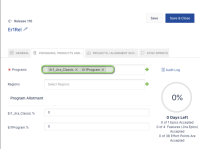
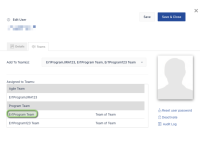
- A user has access to only one of the programs
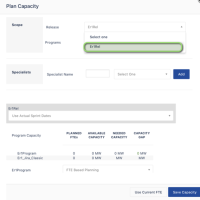
- On the Forecast's Planning capacity functionality, a user will only be able to select a Release he is part of, as per the team and program's allocation
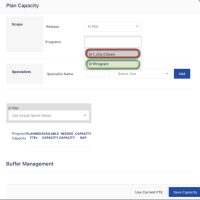
- However, the user will be able then, to select any program that is part of the Release.


Steps to Reproduce
- Given a Release has multiple programs Choose a Release (PI) with multiple programs
- In Administration>People, create or select a user A, and set this user as part of only one program, in teams
- Login as a user A
- Set top tier filter to the program and PI
- Go to forecast page, and select "Plan Capacity"
- in Scope, select a Release
- Notice that you can then select any program that is part of the Release.

Expected Results
Only programs the user is member of should be visible/selectable
Actual Results
All programs part of the PI in this section as accessible
Workaround
Currently there is no known workaround for this behavior. A workaround will be added here when available


