-
Type:
Suggestion
-
Resolution: Unresolved
-
None
-
Component/s: Forms Builder, Portal
Issue
Proforma does not set a custom field to the default value configured in the "Radio button" question configured in the form, if that question is hidden by a section.
Steps to replicate
Scenario 1 - JSM Project with a default value set in the Request Type configuration
- Create a JSM (Jira Service Management) Project
- Configure a new select list custom field, with 3 options
- Option 1
- Option 2
- Option 3
- Add this custom field to all the screens of the JSM project
- Configure a Request Type in the JSM project to include this custom field, and set it as required with "Option 2" as the default value
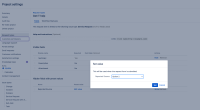
- Configure a new form as follows:
- Add a radio button with Show and Hide as options
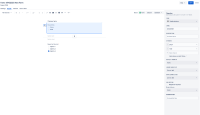
- Add a section with "Show section" set to "Conditionally", and which will depend on the value of the Show/Hide question located above
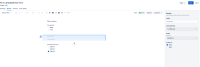
- Add a radio button that is linked to the Select Custom Field created in the first step. Make this question required ("Response Required") and set "Option 3" as the "default answer"
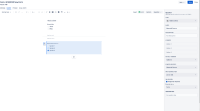
- Add a radio button with Show and Hide as options
- Create a new request from the customer portal and select the request type that the form is linked with
- Create the request by either not selecting show neither hide, or by selecting "hide"
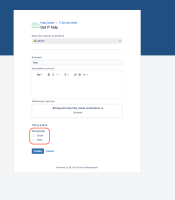
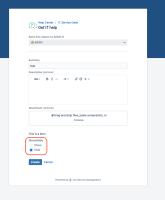


Scenario 1 - Expected behavior
Even though the radio button that is linked to the custom field is not showing on the customer portal we would expect the Select List Custom Field to be set to the default value specified in the form.
We would also expect the request creation to fail, since there is a required question configured in the form (even though it is hidden).
Scenario 1 - Actual behavior
- The request is created
- The Select List Custom Field is set to the default value configured in the Request Type configuration, and not to the default value configured in the "Radio button" question configured in the form

Scenario 2 - JSW Project, with a default value set in the Custom Field Context configuration
- Create a JSW (Jira Software) Project
- Configure a new select list custom field:
- with 3 options
- Option 1
- Option 2
- Option 3
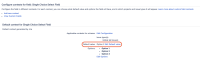
- With "Option 2" as the default value
- with 3 options
- Add this custom field to all the screens of the JSW project
- Configure a new form as follows:
- Add a radio button with Show and Hide as options
- Add a section with "Show section" set to "Conditionally", and which will depend on the value of the Show/Hide question located above
- Add a radio button that is linked to the Select Custom Field created in the first step. Make this question required ("Response Required") and set "Option 3" as the "default answer"
- Add a radio button with Show and Hide as options
- Go to ⚙ > Manage Apps > PROFORMA > Configuration
- Enable Issue Forms (the Issue Forms option will start showing in the Jira Top Bar Menu)
- Click on Issue Forms from the Top bar menu, and search for the form from the JSW project
- Create the Jira issue by either not selecting show neither hide, or by selecting "hide"
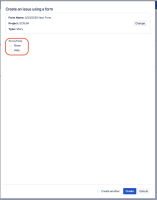


Scenario 2 - Expected behavior
Even though the radio button that is linked to the custom field is not showing on the issue form, we would expect the Select List Custom Field to be set to the default value specified in the form.
Scenario 2 - Actual behavior
The custom field is not set to any value (not even the default value configured in the Custom Field Context configuration).
Important note
Let's assume that the customer selects the "show" option that is meant to show the Radio Button linked to the custom field (in the Form configuration):

In this case, once the request is created, the default value configured in the Request Type configuration will be ignored, and the value selected in the radio button (linked to the custom field) will be set in the custom field (Option 3 in the example below):

Suggestion for this Feature Request
Set the Custom Field to the default value specified in the form, regardless if the question is hidden or not by a section.


- links to
