-
Type:
Suggestion
-
Resolution: Unresolved
-
Component/s: Product - Notifications
-
None
-
4
Issue Summary
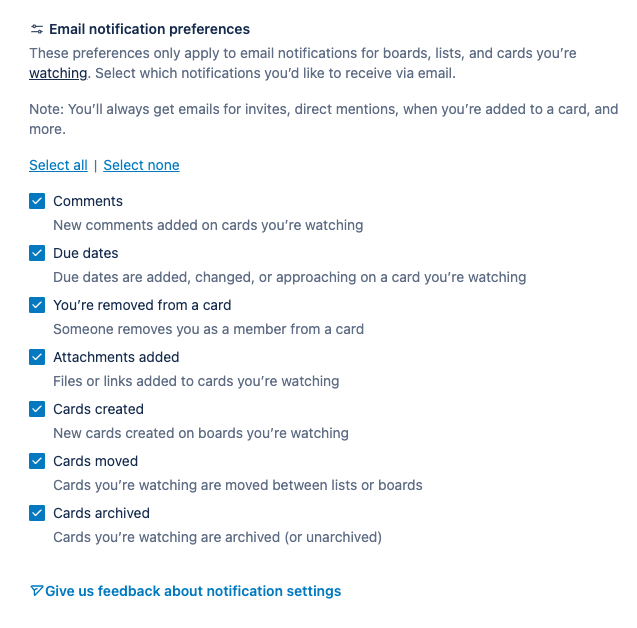
Currently, you can opt-out of whole categories of email notifications on your account settings page:
- Comments
- Due dates
- You’re removed from a card
- Attachments added
- Cards created
- Cards moved
- Cards archived
However, you cannot turn off the ability to receive default notifications if you have email notifications on. Default notifications are listed here.
Steps to Reproduce
Select which notifications you receive when ‘watching’ a card, list, or board.
Expected Results
Find an option to mark and disable default emails, which are mentioned here.
Actual Results
There is no option to opt out of receiving default notifications if email notifications are turned off.
Current Workarounds
Try setting up a filter in your email (like Gmail's filter feature) to categorize Trello notification emails. This way, you can manage them separately without receiving constant alerts.
- is related to
-
- Gathering Interest
- relates to
-
TRELLO-194094 Loading...