-
Type:
Bug
-
Resolution: Unresolved
-
Priority:
 Low
Low
-
None
-
Affects Version/s: 8.20.11
-
Component/s: Board configuration
-
None
-
8.2
-
3
-
Severity 3 - Minor
-
0
Issue Summary
The status order changes in Jira board after adding a condition to the workflow
This is reproducible on Data Center: yes
Steps to Reproduce
- Import the workflow and add a scheme for this workflow
Software-Simplified-Workflow-for-Project-TK.jwb
- Create a project with this scheme
- Arrange the board columns like below
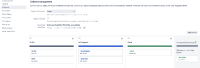
- Create a sprint and try to transition the issue, In progress status appears above Rejected

- Edit the workflow and add a new condition for transition between NEW and TO DO
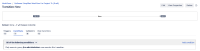
- Publish the workflow



Expected Results
In progress status should still appear above Rejected
Actual Results
In progress status appears below Rejected
Workaround
Transition the issue to the required status by dropping the issue in the respective box


