-
Type:
Bug
-
Resolution: Fixed
-
Priority:
 Low
Low
-
Affects Version/s: 8.2.4
-
Component/s: Development Panel
-
8.02
-
1
-
Severity 3 - Minor
Summary
When creating issues from Bitbucket Server side, the Create Issue screen show fields in incorrect order.
Steps to Reproduce
- Create a few fields in Jira side and add them to create issue screen:
Jira_Bug_Create_Issue.pdf
Jira_Bug_Field_Configuration.pdf
Jira_Bug_Field_List.pdf - In Bitbucket side, open the Create Issue modal window and see that fields are displayed in incorrect order:
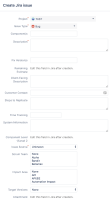
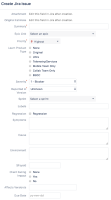
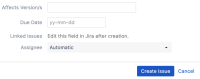


Expected Results
The Create Issue modal window in Bitbucket should show the fields in the same order shown in Jira.
Actual Results
The Create Issue modal window shows fields in incorrect order.
Workaround
Currently there is no known workaround for this behavior. A workaround will be added here when available


- has a regression in
-
-
- Closed
-
-
-

- Short Term Backlog
-