 Low
Low Summary
Agile Wallboard Gadget, when placed on a dashboard, does not automatically update its height to show additional UI elements that become visible when an existing node is expanded to reveal more details. When the page is refreshed on the browser, height is updated, but this shall be handled dynamically without requiring a refresh.
Steps to Reproduce
- add an Agile Wallboard Gadget to a dashboard
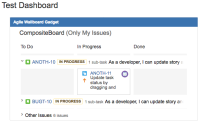
- expand several lines, enough to make content overflow the current widget height. You may see that content is not displayed (it is trimmed) as the height of the widget stays same
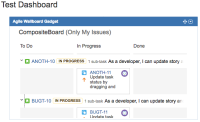
- refresh the page, the widget is now resized to show all content
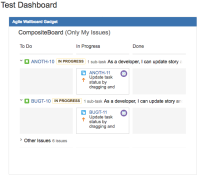
Expected Results
Resizing of the height shall happen dynamically without reloading the page
Actual Results
A reload is required to see expanded content
Workaround
Reload the dashboard page in browser


