-
Type:
Bug
-
Resolution: Fixed
-
Priority:
 Highest
-
Component/s: Classic - Boards
-
Severity 3 - Minor
Summary
Swimlane toggle is missing in board and there is no way to open the swimlane one by one.
Steps to Reproduce
- Open Kanban/Active Sprint view
- Notice that the Swimlane toggle is missing which makes impossible to expand/collapse issues in the board.
Actual Result
Swimlane toggle is not shown.


Expected Result
Swimlane toggle is shown.
Workaround
- Use the keyboard shortcut "-" (dash) to open all Swimlane. Or
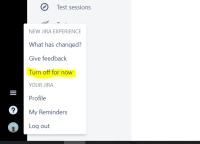
- Use Jira old UI (only available for some instances)