-
Type:
Bug
-
Resolution: Fixed
-
Priority:
 High
High
-
Affects Version/s: 5.9.1, 5.10.1
-
4
-
Severity 2 - Major
-
27
Problem
When upgrading JSM after JSW, customer notifications rule are not successfully upgraded. This causes all Service projects to have the below error when an admin views
This service project has configuration problems and may not work as expected.
View error details and repair the problem
Customer notifications missing

We can't find your customer email notification rules. To fix this, restore your email rules.


Restore email rules


Upon clicking Restore email rules, the new 'Group added' notification rule will successfully be added
Environment
JSM 9.10.1
Steps to Reproduce
- Install JSW pre 9.9.0 (I tested with 9.4.9 and 9.8.1)
- Navigate to 'Versions & Licenses' page to install relevant version of JSM
- Create several Service projects
- Upgrade JSW
- I stopped Jira, extracted JSW 9.10.1, pointed to the same Home directory, and run start-jira.sh
- When Jira starts, navigate to 'Versions & Licenses' page to install relevant version of JSM
- Check Service projects
Expected Results
- No error/warn message for the project
- Check the 'Customer Notifications' page and 'Group added (DISABLED)' should already exists
Actual Results
- Error when viewing the project as admin
- Check the 'Customer Notifications' page and 'Group added (DISABLED)' does not exist yet
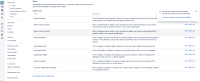
- Upon clicking Restore email rules, the new 'Group added' notification rule will successfully be added for that project
- Below error in the logs
2023-08-14 16:44:30,335+0200 UpmAsynchronousTaskManager:thread-1 INFO admin     [c.a.s.p.n.i.bootstrap.upgrade.AUT_0017_SharingWithGroupsTasks] Starting upgrade task 'AUT_0017_SharingWithGroupsTasks' (AUT_0017_SharingWithGroupsTasks), build number: 17
2023-08-14 16:44:30,368+0200 UpmAsynchronousTaskManager:thread-1 INFO admin     [c.a.s.p.n.i.bootstrap.upgrade.AUT_0017_SharingWithGroupsTasks] Adding groups custom field to screens
2023-08-14 16:44:31,466+0200 UpmAsynchronousTaskManager:thread-1 INFO admin     [c.a.j.config.managedconfiguration.DefaultManagedConfigurationItemStore] Managed Configuration Item registered: com.atlassian.jira.config.managedconfiguration.ManagedConfigurationItem@6422f202[id=10200,itemId=customfield_10200,itemType=CUSTOM_FIELD,isManaged=true,configurationItemAccessLevel=LOCKED,sourceId=com.atlassian.servicedesk:field-locking-service,descriptionI18nKey=admin.managed.configuration.items.generic.description.locked]
2023-08-14 16:44:31,530+0200 UpmAsynchronousTaskManager:thread-1 INFO admin     [atlassian.servicedesk.lifecycle] Adding custom field Groups to screens on project SDA
2023-08-14 16:44:31,577+0200 UpmAsynchronousTaskManager:thread-1 INFO admin     [atlassian.servicedesk.lifecycle] Adding custom field Groups to screen: SDA: Jira Service Management Screen
...
...
...
2023-08-14 16:44:31,963+0200 UpmAsynchronousTaskManager:thread-1 INFO admin     [c.a.s.p.n.i.bootstrap.upgrade.AUT_0017_SharingWithGroupsTasks] Adding group added notification to projects
2023-08-14 16:44:31,978+0200 UpmAsynchronousTaskManager:thread-1 DEBUG admin     [c.a.activeobjects.osgi.ActiveObjectsServiceFactory] getService bundle [com.atlassian.servicedesk.servicedesk-lingo-plugin]
2023-08-14 16:44:32,094+0200 UpmAsynchronousTaskManager:thread-1 WARN admin     [c.a.s.p.n.i.b.upgrade.task.ShareWithGroupsUpgradeManager] Problem encountered while upgrading project 'SDA' with default custom notifications: AnError{message=sd.notification.default.rule.validation.error : 'Unable to validate rule during creation.', httpStatusCode=500, errorCode=none()}
2023-08-14 16:44:32,119+0200 UpmAsynchronousTaskManager:thread-1 WARN admin     [c.a.s.p.n.i.b.upgrade.task.ShareWithGroupsUpgradeManager] Problem encountered while upgrading project 'SDB' with default custom notifications: AnError{message=sd.notification.default.rule.validation.error : 'Unable to validate rule during creation.', httpStatusCode=500, errorCode=none()}
2023-08-14 16:44:32,128+0200 UpmAsynchronousTaskManager:thread-1 WARN admin     [c.a.s.p.n.i.b.upgrade.task.ShareWithGroupsUpgradeManager] Problem encountered while upgrading project 'SDC' with default custom notifications: AnError{message=sd.notification.default.rule.validation.error : 'Unable to validate rule during creation.', httpStatusCode=500, errorCode=none()}
2023-08-14 16:44:32,136+0200 UpmAsynchronousTaskManager:thread-1 WARN admin     [c.a.s.p.n.i.b.upgrade.task.ShareWithGroupsUpgradeManager] Problem encountered while upgrading project 'SDD' with default custom notifications: AnError{message=sd.notification.default.rule.validation.error : 'Unable to validate rule during creation.', httpStatusCode=500, errorCode=none()}
2023-08-14 16:44:32,162+0200 UpmAsynchronousTaskManager:thread-1 WARN admin     [c.a.s.p.n.i.b.upgrade.task.ShareWithGroupsUpgradeManager] Problem encountered while upgrading project 'SDE' with default custom notifications: AnError{message=sd.notification.default.rule.validation.error : 'Unable to validate rule during creation.', httpStatusCode=500, errorCode=none()}
2023-08-14 16:44:32,171+0200 UpmAsynchronousTaskManager:thread-1 WARN admin     [c.a.s.p.n.i.b.upgrade.task.ShareWithGroupsUpgradeManager] Problem encountered while upgrading project 'SDF' with default custom notifications: AnError{message=sd.notification.default.rule.validation.error : 'Unable to validate rule during creation.', httpStatusCode=500, errorCode=none()}
2023-08-14 16:44:32,171+0200 UpmAsynchronousTaskManager:thread-1 INFO admin     [c.a.s.p.n.i.bootstrap.upgrade.AUT_0017_SharingWithGroupsTasks] Creating a entry in property table
2023-08-14 16:44:32,176+0200 UpmAsynchronousTaskManager:thread-1 INFO admin     [c.a.s.p.n.i.bootstrap.upgrade.AUT_0017_SharingWithGroupsTasks] Upgrade task 'class com.atlassian.servicedesk.plugins.notifications.internal.bootstrap.upgrade.AUT_0017_SharingWithGroupsTasks' applied successfully
2023-08-14 16:44:32,185+0200 UpmAsynchronousTaskManager:thread-1 INFO admin     [c.a.upgrade.core.DefaultUpgradeTaskFactoryProcessor] Upgrade task [factory=com.atlassian.servicedesk,buildNumber=17] completed in 4465 milliseconds


Workaround
No known workaround
Notes
- This is a major issue especially when the instance has many Service projects. Customer may have up to 100s of projects and they will have to manually click on the pop up to fix this for all projects


