-
Type:
Suggestion
-
Resolution: Unresolved
-
None
-
Component/s: Assets - Core experiences
-
1
Summary
Currently while configuring an IQL panel (Object Type Page Layout) the "Attributes to Display" shows only 5 attributes alphabetically without giving the user a hint that there are more.

Steps to Reproduce:
- Create an Object Schema with more than 10 attributes across different Object types
- From the Object Schema page click on "Object Type" drop down > Configure
- Click on "Configure page layout" on the right top
- On the Right Panel click on + Add Panel and scroll down to the Attributes to display drop down
Current Result:
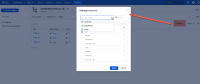
The drop down only shows first 5 attributes in alphaneumerical order
Suggested Solution:
- Add indications on the UI to let the user know there are more than 5 attributes shown with something like "..and n more.." as a quick solution
- Better still would be to have a similar behaviour that we have on the Insight Object Search page with Object Type selection as well as typing out attribute names:

Workaround:
Until the feature is implemented, user would need to type the attribute name to find the required attributes.


- links to
