-
Type:
Bug
-
Resolution: Unresolved
-
Priority:
 Low
Low
-
None
-
Affects Version/s: 10.2.0, 10.3.7
-
Component/s: Project - Agile Boards
-
None
-
10.02
-
1
-
Severity 3 - Minor
Issue Summary
- Right-clicking on a board in Jira Software does not display an option menu; instead, it requires two right-clicks to access the menu.
- The Issue Detailed View is displayed on the first click.
- It seems to occur after the initial right-click, after the Issue Detailed View is displayed once, it seems not to occur anymore.
Steps to Reproduce
- Open a Board and navigate to the Active Sprint that uses a Swimlane (epic or story for example)
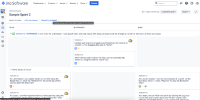
- Right-click on the swimlane issue

Expected Results
- The right-click options should be displayed
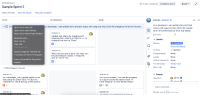

Actual Results
- The Issue Detailed View is displayed on the first right-click
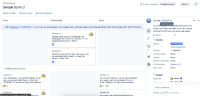

Workaround
- Right-clicking twice would display the option menu.


