-
Type:
Bug
-
Resolution: Unresolved
-
Priority:
 Low
Low
-
None
-
Affects Version/s: 10.3.0, 10.3.1, 10.3.2, 10.3.3, 10.3.4
-
Component/s: UPM (Universal Plugin Manager)
-
10.03
-
9
-
Severity 3 - Minor
-
11
Issue Summary
As mentioned in the Proforma listing on the Atlassian Marketplace, the Proforma is free for Jira users who are using JSM (Jira Service Management) on any version from 10.3.0:
For Jira Service Management Data Center 10.3 (and later) license holders, ProForma is free of charge! Explore our ProForma installation and licensing guide
However, whenever a Jira Admin tries to upgrade the Proforma app via the page ⚙ > Manage Apps > Manage Apps, the Proforma app is diplayed in the UI as a paid app, causing a lot of confusion, since this app should be free.
Steps to replicate
- Install JSM on the version 10.3.0
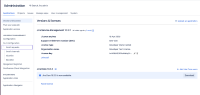
- Download a Proforma version from the version history page that is not the latest version, for example 10.3.2-DC
- Install this version in the JSM application via the page ⚙ > Manage Apps > Manage Apps
 To be able to upload this version via the Manage Apps page, you will to follow the steps from the KB article How to re-enable plugin upload in Jira Data Center
- After the app is installed, check its listing in the page page ⚙ > Manage Apps > Manage Apps

Expected behavior
We should see an option to upgrade the app to the latest version for free.
Actual behavior
- The message below is shown:
You may update this app but the newest version isn't free. You can purchase a license through Atlassian. - The update button is shown as "Paid Update"

Workaround
Ignore the message saying that the app is not for free, and simply click on the Paid Update button. The app will be upgraded for free without the need to enter any license:


