-
Type:
Suggestion
-
Resolution: Unresolved
-
None
-
Component/s: Dashboards & Reports - Reports
-
None
-
1
Issue Summary
The export to Excel option was deprecated from Jira and replaced with CSV export (starting from Jira 7.2). However, it seems that some parts of the functionality (like the Jira Core Time Tracking Report) weren't updated completely to align with this change and still have exported data generated with the .xls extension.
Modern MS Excel versions cannot always open the produced file successfully. Additionally, this behaviour is not aligned with the overall functionality of Jira export in different parts of the product.
Steps to Reproduce
- Create new or access existing Jira Core/Software projects.
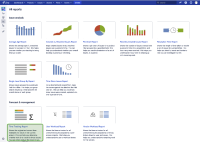
- Navigate to project reports and select Time Tracking Report.
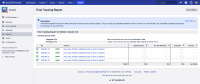
- Configure the report based on your requirement and try viewing data using "Excel View".


Suggested Solution
It would be beneficial for end users if this functionality were aligned with other export features available at Jira by giving the native options to export reports in CSV or HTML.

