-
Type:
Bug
-
Resolution: Unresolved
-
Priority:
 Low
Low
-
None
-
Affects Version/s: 9.4.20, 9.4.22, 9.8.1, 9.16.0
-
Component/s: Issue - View Issue, Navigation - View results
-
None
-
9.04
-
5
-
Severity 3 - Minor
-
1
Issue Summary
This is reproducible on Data Center: (yes)
Steps to Reproduce
- Access Jira version 9.4.20 or higher via Chrome/Edge/Firefox on Windows using remote desktop.
- Navigate to Issues -> Search for an issue
- Change the view to Detail View (if its on the List)
- Try to resize the issue list panel using the mouse and it doesn't happen
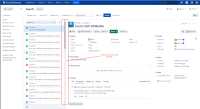

Expected Results
Should be able to resize the panel
Actual Results
Unable to resize the panel
This is working on 8.20.30
Workaround
On remote desktop environment, resizing can be done by grabbing the handle and moving it as slowly as possible, e.g. if one wants to increase size of the panel, grabbing the leftmost part of the handle and slowly moving it to the right will resize the panel.

