-
Type:
Bug
-
Resolution: Unresolved
-
Priority:
 Low
Low
-
None
-
Affects Version/s: 9.5.0, 9.6.0, 9.7.0, 9.8.0, 9.9.0, 9.10.0, 9.11.0, 9.12.0, 9.13.0, 9.14.0, 9.15.0, 9.15.2
-
Component/s: Project - Agile Boards
-
None
-
9.05
-
1
-
Severity 3 - Minor
Issue Summary
Issuetype text popup box not appearing when hovering over issue-type icon of an issue on software active sprints board
This behavior has been confirmed to be found in Jira software 9.5.0 and beyond (Occurs through 9.15.2 to date)
Last confirmed working version is Jira Software 9.4.20
This is reproducible on Data Center: (yes)
Steps to Reproduce
- Access a software project (either kanban or scrum) > Active sprints from project sidebar menu
- Hover over the issue-type icon of an issue assigned to the sprint
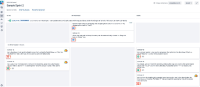

Expected Results
A popup should appear indicating the issue-type name as shown below:

Actual Results
No pop-up appears indicating the issue-type name.

Workaround
Currently there is no known workaround for this behavior. A workaround will be added here when available


