-
Type:
Bug
-
Resolution: Unresolved
-
Priority:
 Low
Low
-
None
-
Affects Version/s: 8.20.13, 9.4.0
-
Component/s: Rich Text Editor
-
None
-
8.2
-
2
-
Severity 3 - Minor
-
0
Summary
In the Rich Text Editor, when using the Drag and drop image functionality in visual mode, it will not add the image as attachment if you do it from the mobile device mounted in Laptop/PC via USB, as it does from the local Laptop/PC storage.
Steps to Reproduce
 Reproducible in Windows and Linux (desktop environment: KDE)
- Connect your mobile device via USB
- Open a Windows Manager ( Windows Explorer, KDE window manager)
- Open the mounted mobile storage (Windows: MTP protocol, Linux: MTP/PTP)
- Drag and Drop an image to the Issue while on the Issue View Page. i.e.:
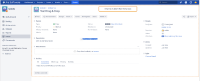

Expected Results
The image should be attached to the Issue
Actual Results
Windows: It doesn't attach the image to the Issue and no error is displayed
If you open the Web developer tool in the web browser you can see an error like this:

Linux: It doesn't attach the image to the Issue and the Image path on the device is inserted as text:

Workaround
Workaround 1
Windows & Linux: (Android, iPhone) Copy the image to the Laptop/Mac/PC local storage, drag and drop from the local storage instead.
Mac: (iPhone) Use Airdrop to send the image to the local storage, drag and drop from the local storage.
Workaround 2
Windows: Using the Browse function of Attachment, you can select a file on the mounted mobile storage and attach it to the Issue.

Linux: No workaround for KDE window manager as the web browser doesn't show devices mounted with MTP/PTP protocols.
Alternatives
Jira offers many other ways to attach an image to an Issue such as:
- Use some storage service such as dropbox to transfer the file to the Laptop/Mac/PC local storage
- Email the image to the Issue
- Use the Jira app


- mentioned in
-
Page Loading...