-
Type:
Suggestion
-
Resolution: Unresolved
-
None
-
Component/s: Custom Field Optimizer
-
None
-
0
-
4
Issue Summary
The field usage calculator does not check if Jira issues have been deleted from the jiraissue table in the Jira Database. As a result, in case of data inconsistency in the Jira DB, this calculator might show unexpected values.
Expanation behind how the field usage calculator works
- the calculation is done every day at 3:00am (by default) by the scheduled job com.atlassian.jira.issue.fields.usage.CustomFieldUsageRecalculationJob
- before the job is executed, an entry with node_id information is inserted in clusterlockstatus table, so that no other node can run the same job
- this job populates all the custom field id's from the data cache, and splits them into batches based on the parameter com.atlassian.jira.issue.fields.usage.query.max.ids, which is 1000 by default
- once the job has the full list of custom field Ids, it will then run the following SQL query in batches to find out how many Jira issues have a non empty value for each custom fields:
select count(distinct CUSTOM_FIELD_VALUE.issue), CUSTOM_FIELD_VALUE.customfield from public.customfieldvalue CUSTOM_FIELD_VALUE where CUSTOM_FIELD_VALUE.customfield in (XXXXX, XXXXX, XXXXX, XXXXX, ...) group by CUSTOM_FIELD_VALUE.customfield - after that, the field usage value is inserted in the customfield table for each custom field:
update public.customfield set issueswithvalue = '0' where customfield.id = 'XXXXX'
..
update public.customfield set issueswithvalue = '12' where customfield.id = 'XXXXX'
- after the job is complete, the lock in the clusterlockstatus table is released
Steps to replicate
- Create a new custom field (field ID = 10900 in this example)
- Create a Jira issue and set a value for this field
- Delete this Jira issue from the Jira DB table jiraissue
- Wait until the field usage calculator job runs
Observed behavior
- The custom field usage will be set to 1 issue, while we would expect this value to be 0, since that issue was deleted from the Jira Database
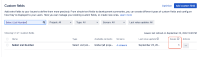
- This is because algorithm only checks the customfieldvalue DB table without checking if the Jira issue was deleted in the jiraissue table:
select count(distinct CUSTOM_FIELD_VALUE.issue), CUSTOM_FIELD_VALUE.customfield
from customfieldvalue CUSTOM_FIELD_VALUE
where CUSTOM_FIELD_VALUE.customfield in (10900)
group by CUSTOM_FIELD_VALUE.customfield;

 count | customfield
-------+-------------
     1 |       10900
(1 row)

- The following SQL query confirms that the customfieldvalue table still references the Jira issue that was deleted from the jiraissue table:
select * from customfieldvalue where customfield = 10900;
  id   | issue | customfield |    updated    | parentkey | stringvalue | numbervalue | textvalue | datevalue | valuetype
-------+-------+-------------+---------------+-----------+-------------+-------------+-----------+-----------+-----------
 13500 | 12308 |       10900 | 1663923880155 |           | 10500       |             |           |           |
(1 row)
- The following SQL query confirms that the Jira issue no longer exists:
select id from jiraissue where id = 12308;
 id
----
(0 rows)
Note
This behavior is not considered as a bug with the algorithm since:
- when Jira issues are gracefully deleted via the Jira UI or Jira API, all the corresponding rows will be deleted from the customfieldvalue table. Therefore, natively in Jira, it is not possible to have "orphaned" rows in the customfieldvalue table
- the only time this scenario can happen is if some 3rd party application or some user directly delete Jira issues from the jiraissue table without deleting the corresponding rows in the customfieldvalue table
Suggestion
Improve the algorithm, so that when it runs SQL queries, it checks whether the Jira issues exist or not in the jiraissue DB table, to provide the Jira UI with correct data in case of data corruption in the DB.
