-
Type:
Bug
-
Resolution: Unresolved
-
Priority:
 Low
Low
-
None
-
Affects Version/s: 8.19.1, 8.22.0
-
Component/s: Issue - Comments
-
8.19
-
1
-
Severity 3 - Minor
-
0
Issue Summary
When clicking on an issue link referenced in a comment, if the provided link contains a forward slash at the end of its URL (e.g. <JIRA_URL>/browse/ISSUE-1/), users will be redirected to <JIRA_URL>/browse/ instead.
Steps to Reproduce
- Open an issue on Jira
- Add a comment including the URL to another issue, ensuring that it contains a forward slash at the end of its URL
- Click on the link to access the referenced issue:
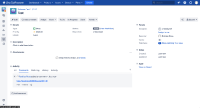

Expected Results
The referenced issue will be opened and the correct URL will be displayed at the browser
Actual Results
Users will be redirected to <JIRA_URL>/browse/ instead:

Workaround
Remove the forward slash from the end of the related URLs


- is caused by
-
-

- Gathering Impact
-