-
Type:
Bug
-
Resolution: Unresolved
-
Priority:
 Medium
-
None
-
Affects Version/s: 8.13.1, 8.15.0, 8.16.0, 8.16.1, 9.1.0
-
Component/s: Upgrade
-
8.13
-
15
-
Severity 3 - Minor
-
2
Issue Summary
For customers who are using Jira Service Management, after upgrading the Jira Core/Software, we don't see Update button to update Jira Service Management on Versions & licenses page.
Steps to Reproduce
- Upgrade the Jira Core/Software.
- Once upgrade is successful, please go to Jira Administration > Applications > Versions & licenses page.
Expected Results
We should see the "Update" button to update the Jira Service Management to 'compatible version.
Actual Results
We don't see "Update" button to update the JSM to a compatible version. Page will show the old version of JSM.


Workaround
- Go to Jira Administration > Applications > Versions & licenses page.
- Take the backup of license present in License key for Jira Service Desk/Jira Service Management and delete it.
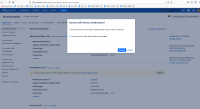
- Once we delete the license, we will see "Update" button to the compatible version of Jira Service Desk/Jira Service Management.

- Please click on "Update" button so that JSM update process is triggered.
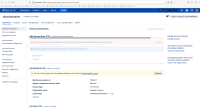
- JSM will be updated to 'compatible version successfully.
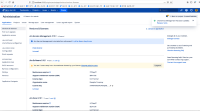
- Once update is successful, please paste the license (from Step 2). The license will be updated and we can see the changes reflected successfully.


Workaround 2
- Under Jira Administration > Applications > Versions & licenses page, uninstall the JSM application then re-install it again. Once done, it should be installed with the compatible version.


- duplicates
-
-
- Gathering Impact
-