-
Type:
Bug
-
Resolution: Fixed
-
Priority:
 Low
Low
-
Affects Version/s: 7.12.3
-
Component/s: Project Administration - Others
-
7.12
-
Severity 3 - Minor
Issue Summary
When embedding JIRA issue collector code into an html or Javascript the issue collector Provide Feedback button is not displayed.
The form can't be loaded.
Environment
- JIRA 7.12.3
Steps to Reproduce
- Install JIRA 7.12.3
- Create a poject
- From the project setting configure an issue collector, copy the code to embed the issue collector form into a test html.
- Follow the JIRA html example and embed the code
- Load the html page
Expected Results
Issue collector Provide Feedback button appears and when clicked the form is loaded and we can submit an issue.
Actual Results
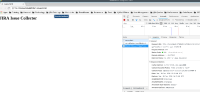
The page is broken and both Firefox and Chrome will block the page loading from completion with a console error similar to below:
Refused to execute script from 'http://localhost:17123/jira7123/rest/collectors/1.0/configuration/trigger/5a369a02?os_authType=none&callback=trigger_5a369a02' because its MIME type ('text/html') is not executable, and strict MIME type checking is enabled.

Notes
- Most modern browsers will do strict checks on Mime Types and there is no way to stop them from doing that due to security reasons.
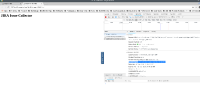
- in JIRA 7.12.3, The call to the REST Endpoint /rest/collectors/1.0/configuration/trigger/d60737ee uses the wrong Content-Type header, the expected type is:
Content-Type: application/x-javascript;charset=UTF-8
While the code sends a wrong content type:
Content-Type: text/html;charset=UTF-8
Which causes the browser Mime type check to fail.
- Both JIRA 7.6.10 and 7.13.0 doesn't show this problem.


Workaround
Upgrade to JIRA 7.13.0, the issue is not observed there.


