-
Type:
Bug
-
Resolution: Fixed
-
Priority:
 Low
Low
-
Affects Version/s: 7.6.3
-
Component/s: System Administration - Others
-
7.06
-
3
-
Severity 3 - Minor
-
1
Problem
If JMX is enabled during startup, it won't actually expose any of the Jira attributes.
Steps to Reproduce
- Enable JMX Monitoring in Jira
- Restart
- Connect JConsole
- Check the MBeans for com.atlassian.jira
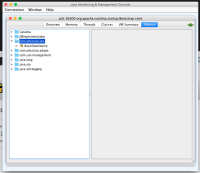
- Notice:

Expected Behaviour
The Jira attributes mentioned here would be shown:
Actual Behaviour
We see com.atlassian.jira, but only the datasource within it. None of the Jira attributes are visible.
Workaround
- Disable JMX in Jira and then Re-enable it
- Disconnect JConsole and reconnect

- is duplicated by
-
-
- Closed
-
- is related to
-
JRASERVER-67466 Expose Jira and performance metrics through JMX (part1)
- Closed