-
Type:
Suggestion
-
Resolution: Won't Do
-
None
-
Component/s: None
-
1
NOTE: This suggestion is for JIRA Server. Using JIRA Cloud? See the corresponding suggestion.
Summary:
If we click the "Download" button, rather than being redirected to our website download page, it will be better if it just download it from JIRA UI.
Steps to Reproduce:
- Login as admin
- Navigate to JIRA Administration Page > Applications > Versions & Licenses
- On JIRA Core section, click the "Download" button.
 button will be only available if there is newer release for JIRA Core
 - There will be a pop-up with list of the installer that the user get.
- Click "Get Installer"
Current Result:
- The user will be redirected to Atlassian Website JIRA Core download page.
Desired Result:
- Like any other Applications, it will automatically download the installer from the UI, even though it is not possible to update automatically like other application.
- A pop-up after downloading the installer will be great. The pop-up will include information about how to upgrade JIRA.
Important Notes:
- This particular page is also confusing the User.
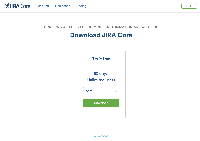
- They will thought that to upgrade JIRA Core( or JIRA platform) a license is needed.
- Even though, clicking Download will download the installer without the need of a license


- relates to
-
- Closed