-
Type:
Bug
-
Resolution: Unresolved
-
Priority:
 Low
Low
-
None
-
Affects Version/s: 7.0.2, 7.0.4, 7.3.7, 7.6.2
-
Component/s: Project Administration - Others
-
7
-
4
-
Severity 3 - Minor
-
0
Summary
Clicking cancel on "Associate Notification Scheme to Project" screen will display "No project could be found with key 'notifications'" Error.
Steps to Reproduce
- Go to any projects administration page
- Click the Notifications tab on the left Menu.
- Then go to Actions>Use a different Scheme
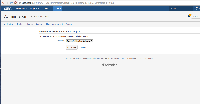
- Now click Cancel in the above screen

Expected Results
It should cancel and take you back to the Notifications page.
Actual Results
You get the Error "No project could be found with key 'notifications'"


- is duplicated by
-
-
- Closed
-