-
Type:
Bug
-
Resolution: Not a bug
-
Priority:
 Low
Low
-
None
-
Affects Version/s: 6.4.10
-
Component/s: None
-
6.04
Problem Definition
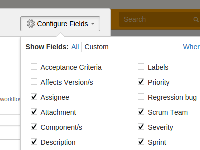
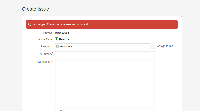
- The 'Configure Fields' button which exist in the 'Create Issue Pop Up Screen' is not available in the 'Create Issue Screen that is access by URL'. This seems to be a missing functionality at the moment, and are not configurable at the moment.
- Inconsistency of configuration as if through Create Issue Screen Popup, user have configured custom-fields-visibility, when access the create issue screen from a URL link will remove this custom-fields-visibility setup
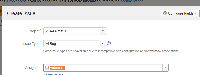
- To access the URL : https://<your jira URL>/secure/CreateIssueDetails!init.jspa?pid=1234&issuetype=6 , change PID with appropriate project ID and issue type.


Suggested Solution
- To introduce this button in the 'Create Issue Screen that is access by URL' so that consistency can be achieved here.


